
Restaurant Billing Software for India
Billing, GST invoices, QR ordering and KDS for Indian restaurants, cafes, QSRs, bakeries, sweet shops and dhabas.
Short answer: Restaurant billing software for India with counter billing, GST invoices, payment tracking, QR ordering and relevant kitchen workflows for Indian restaurants, cafes, QSRs, bakeries, sweet shops and dhabas.
Complete plan: ₹4,999/year or ₹11,999 for 3 years prepaid, with a 14-day free trial and no credit card required.
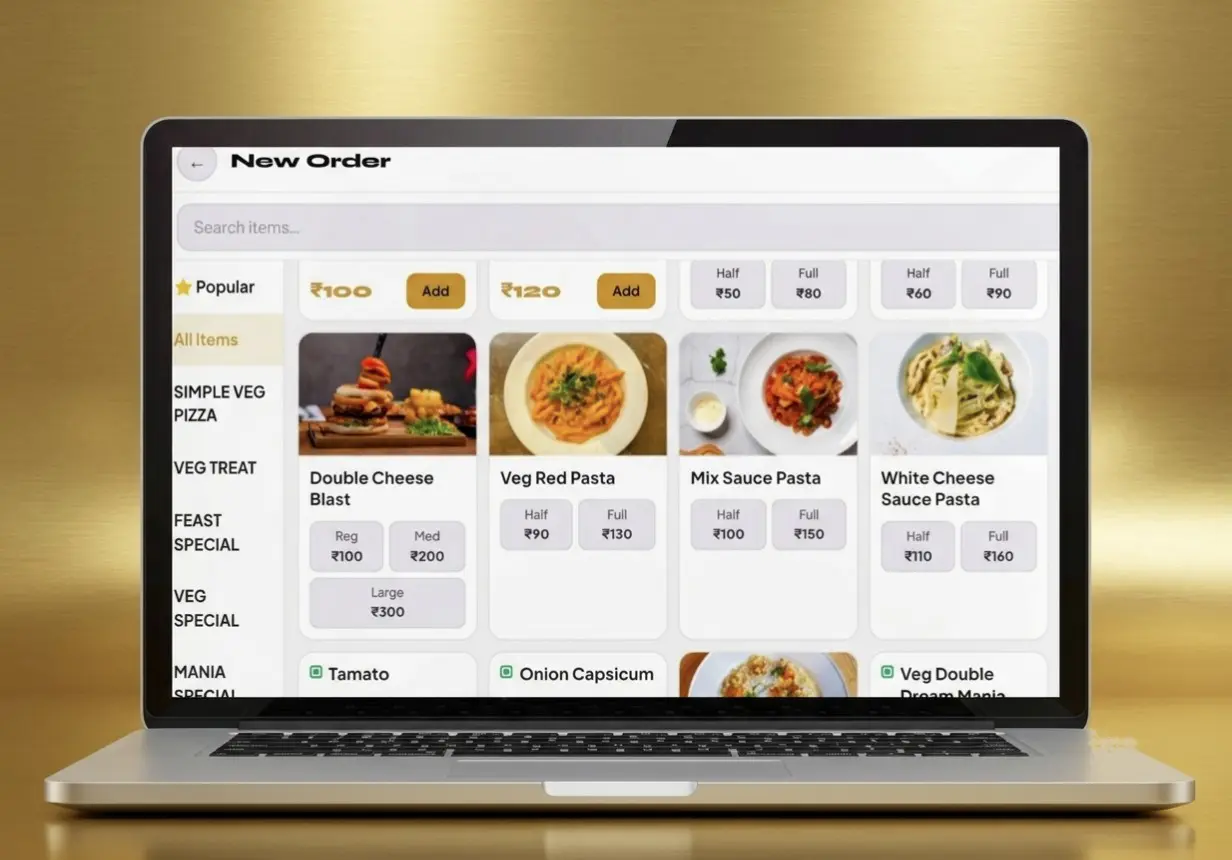
Choose billing software around your service workflow
Restaurant billing software is a system that helps a food business create bills, apply configured GST, record payments and connect relevant ordering or kitchen steps.
Who this is for
Indian restaurant, cafe, QSR, bakery, sweet-shop and dhaba owners choosing or replacing a billing system.
What to test
Use a small real menu and check payment, printing, QR ordering or kitchen handoff before you switch.
Which workflow fits your food business?
Choose the plan around your current service model, not a generic feature checklist.
| Operational need | Relevant Zipla POS workflow |
|---|---|
| Counter service: billing, GST invoices and payment marking | The Complete plan covers counter billing, GST invoices and payment-mode tracking. See pricing. |
| Table service: customer orders and kitchen handoff | The Complete plan also covers Kitchen Display System (KDS), table QR ordering, Bluetooth KOT auto-print, sales analytics and day-close reports. |
| Home orders: customer details and phone-based status tracking | Use Customer QR Home Ordering for name, phone number and address capture, cashier order alerts, kitchen handoff and customer status tracking from accepted to preparing to completed. |
| Weight-, piece- or fixed-price items | Use the dedicated Bakery or Sweet Shop workflow for products sold by weight, piece, or fixed price. |
Restaurant billing software for the way you serve
Choose an outlet type to see the operational workflow and plan that fit its day-to-day service.
Compare the service workflow before choosing a plan.
Restaurant POS Software
Counter and table service in one workflow, with KDS and table QR ordering.
Cafe POS Software
Counter checkout with payment tracking, table ordering and kitchen handoff when relevant.
Bakery Billing Software
Bill weight-, piece- and fixed-price items from one counter workflow.
Sweet Shop Billing Software
Bill mithai and counter items sold by weight, piece, or fixed price.
QSR Billing Software
Counter billing first, with a kitchen queue when orders need a handoff.
Dhaba Billing Software
Counter billing, GST invoices, payment tracking and supported bill printing.
How does Zipla POS fit into a food-service workflow?
See how customer orders move from the counter, table or home to payment, kitchen handoff and daily review. Actual Zipla POS screens are marked; illustrative concepts are clearly labelled.
01Counter POS BillingBuild the customer order, record the payment mode and create the GST invoice from the counter.Complete plan
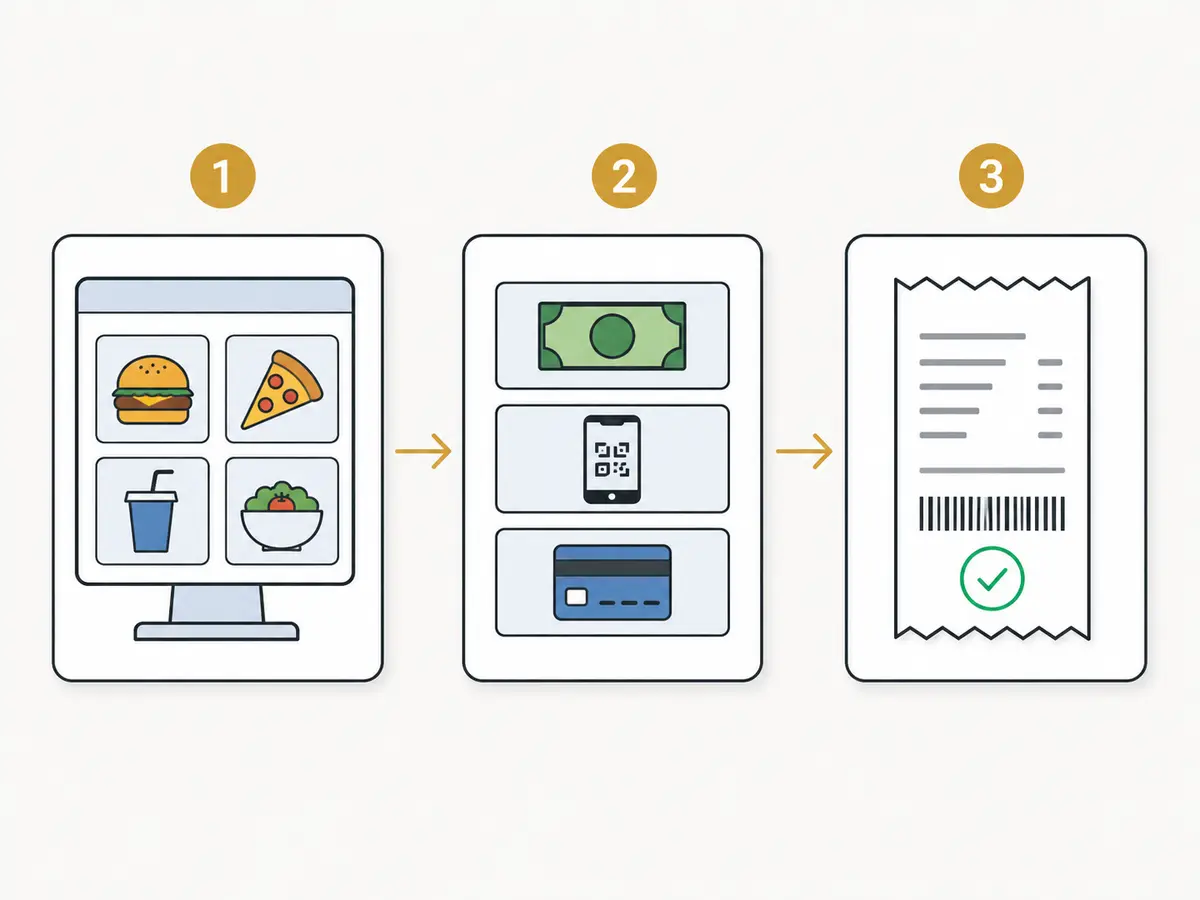
- 1Build the order
Select customer items from the counter screen.
- 2Choose payment
Record cash, UPI, or card payment for the bill.
- 3Print GST invoice
Generate the bill with configured tax rules.
- 4Complete checkout
Hand over printed slip or share digital invoice.
02Table QR Ordering + Customer QR Home OrderingTable QR Ordering is for diners in the outlet. Customer QR Home Ordering is for home orders and phone-based status tracking.Complete plan
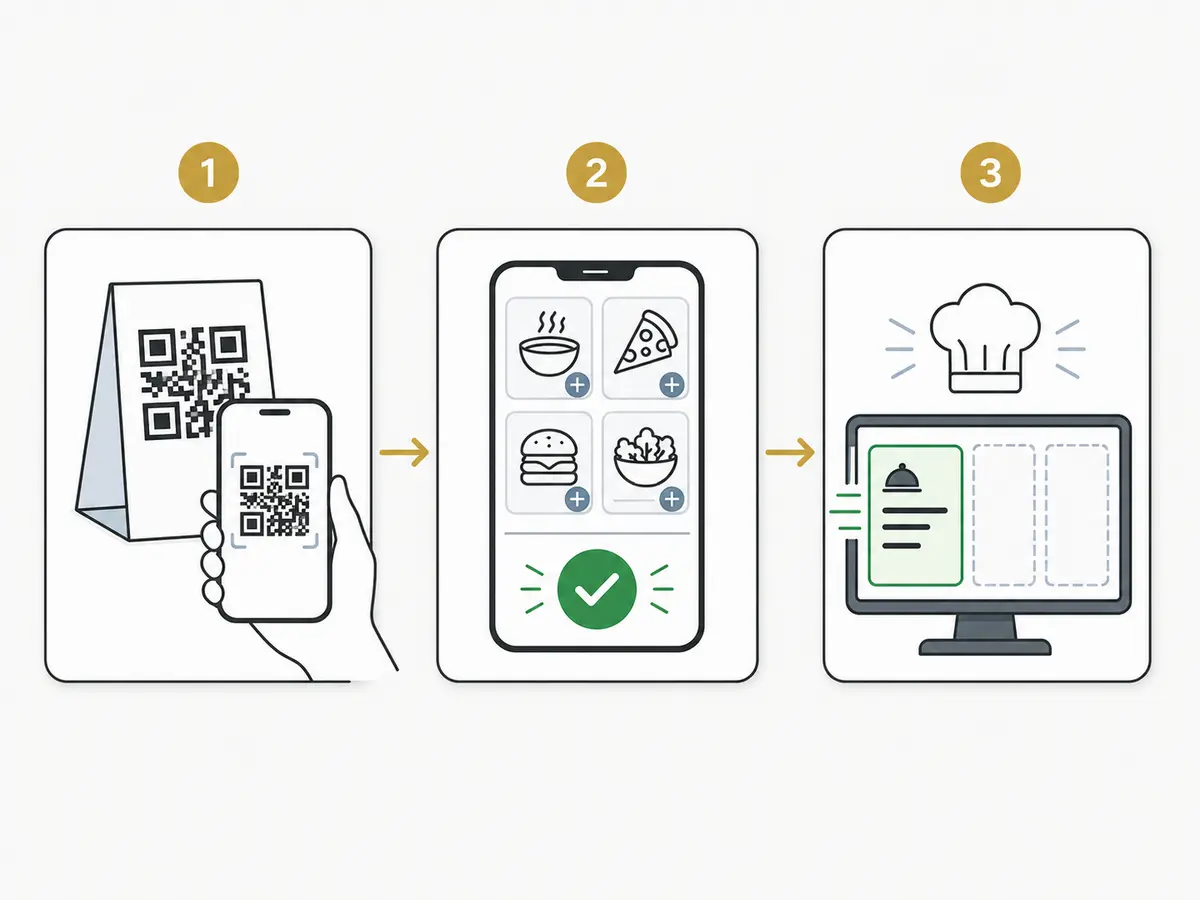
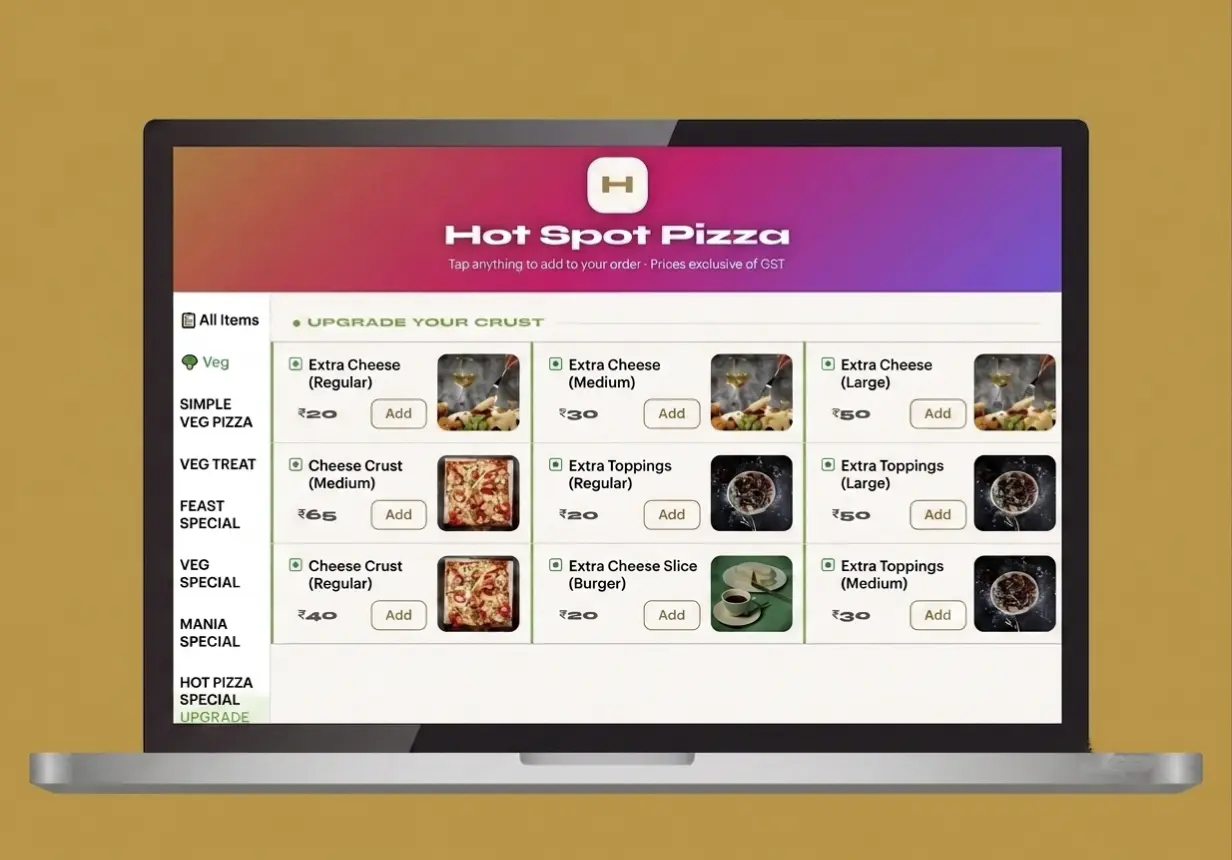
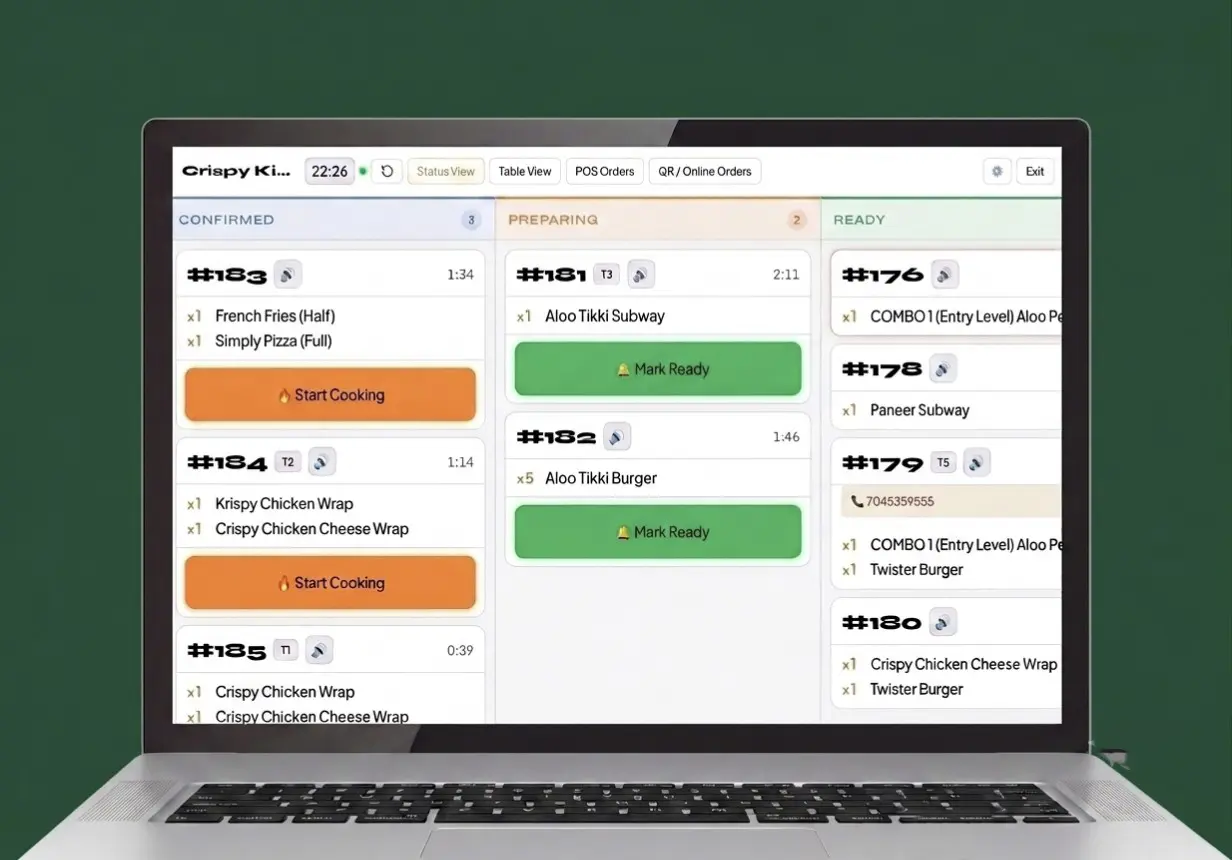
- 1Choose the QR path
Use table QR in the outlet or Customer QR for a home order.
- 2Enter order details
For a home order, the customer adds their name, phone number and address.
- 3Place the order
The new order reaches the cashier for acceptance before kitchen handoff.
- 4Track the handoff
The customer can follow accepted, preparing and completed status on their phone.
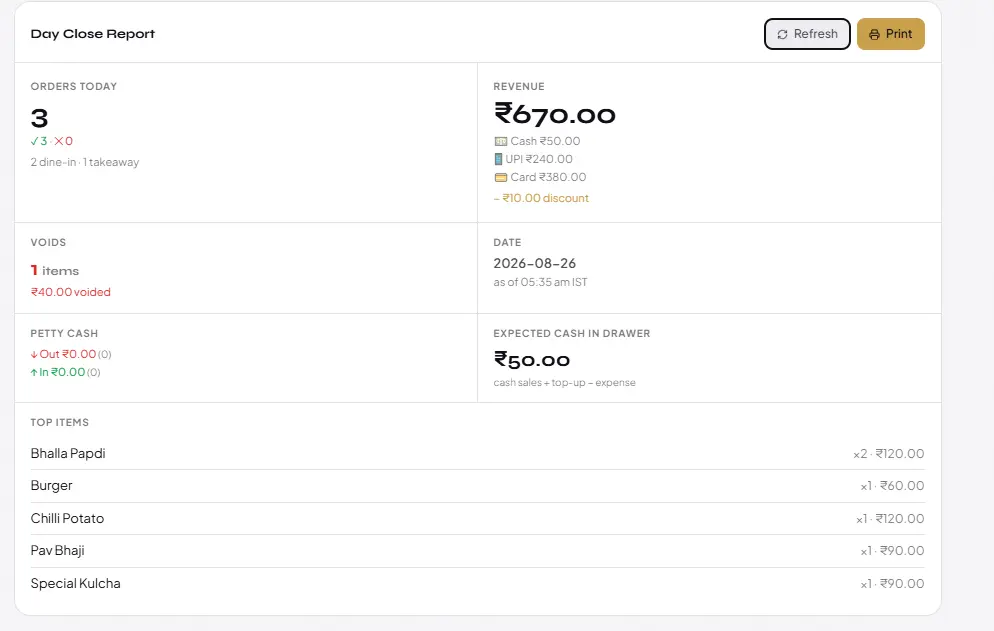
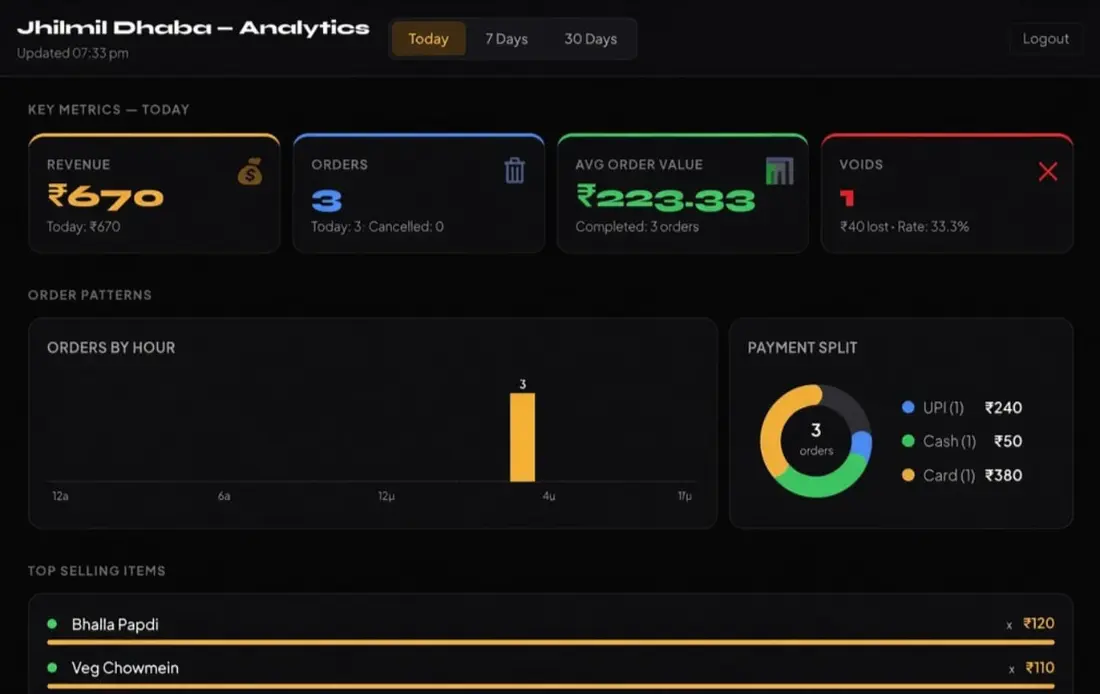
03Day-Close and AnalyticsReview completed orders, payment split, voids and sales information after service.Complete plan
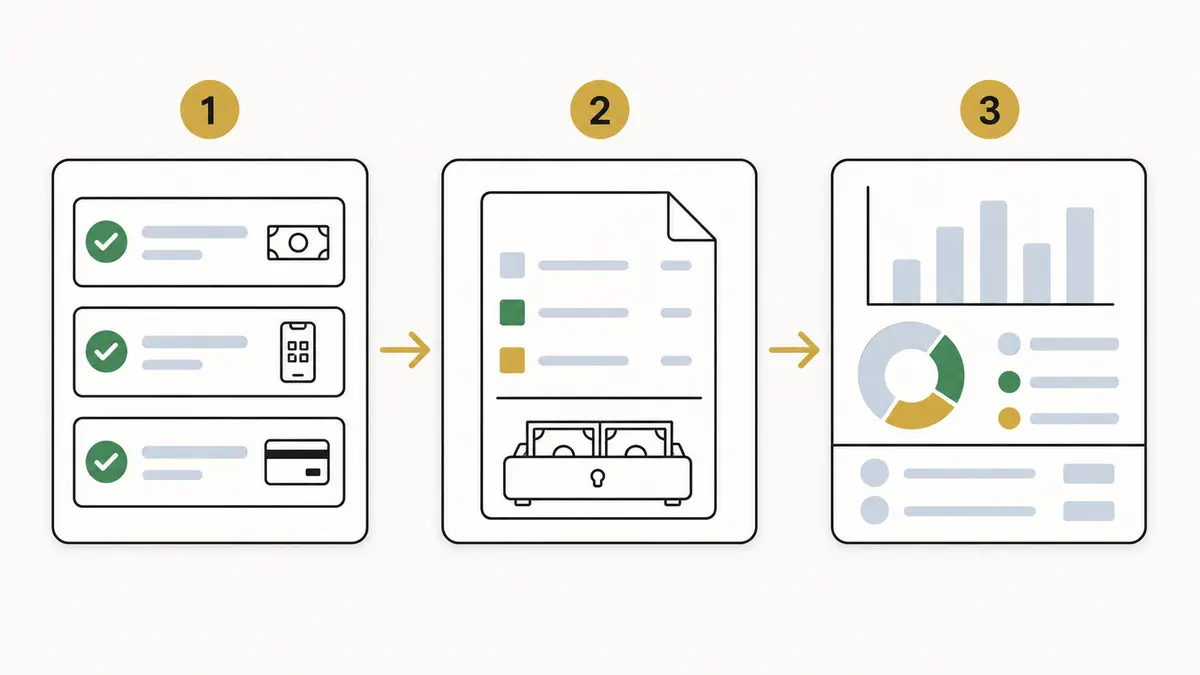
- 1Settle all bills
Close remaining active customer table sessions.
- 2Verify splits
Reconcile collected cash, UPI, and card totals.
- 3Review voids
Audit canceled items and discounts for leakage.
- 4Export daily report
Access complete sales performance from owner view.
What does each Zipla POS workflow help you run?
Choose the workflow that matches your outlet: counter checkout, table service, customer home ordering, kitchen handoff, or weight- and piece-based billing.
The Complete plan also supports Mobile POS, barcode scanning for packaged inventory, automatic GST calculation and online payments through the restaurant's own Razorpay account when internet is available.
- Offline billing: After the menu loads, bills can be created without internet; UPI and online payments need a connection
- Supported setup: Use an Android phone, tablet, or Windows PC with compatible 58mm or 80mm Bluetooth thermal printing
- Mobile POS: Use Zipla POS on supported mobile devices with staff roles
- Barcode inventory: Scan packaged products to add them to inventory
- Automatic GST: The configured GST rate is applied when the bill is generated
- Online payments: Connect your own Razorpay account; internet is required
- Bill sharing: Share bills with customers on WhatsApp when a digital copy is needed
- Complete plan: ₹4,999/year or ₹11,999 for 3 years prepaid, covering the listed counter, table, customer QR and kitchen workflows
Which workflow fits your current service?
Choose a plan around the operational handoff your team needs to manage.
One complete plan for your service workflow
Complete restaurant billing and ordering software for growing restaurants, cafes, bakeries, QSRs and dhabas.
Complete plan
Billing & payments
- Counter POS Billing
- GST/non-GST invoice printing with configured GST rates
- Payment tracking: cash, UPI and card
Ordering & kitchen
- Table QR Ordering
- Customer QR Home Ordering
- Live Order Status Tracking
- Cashier-to-Kitchen Order Handoff
- Kitchen Display System (KDS)
- Bluetooth KOT Auto-Print
- WhatsApp Bill Sharing
Daily operations
- Menu and Item Management
- Inventory with Low-Stock Alerts
- Staff Roles
- Sales Analytics and Day-Close Reports
- Supported Thermal Printing
What do food businesses ask before starting Zipla POS?
These answers cover Table QR Ordering, Customer QR Home Ordering, Bluetooth printing, data access, menu setup, connectivity, and product support.
How do I access my business data?
Will my staff need training?
Can I use Zipla POS on a mobile device?
Can barcode scanning add products to inventory?
Which Bluetooth thermal printers does Zipla POS support?
Does Zipla POS calculate GST automatically?
Does Zipla POS support online payments?
Can customers order from home and track the order?
Can I continue billing if the internet connection drops?
How do I add my existing menu?
How do I get support?
Can I see Zipla POS before I start?
Yes. Share your details and we’ll walk you through the relevant Zipla POS workflow on WhatsApp.