
Bakery Billing Software for India
Key takeaway: Bakery Billing Software for India with weight billing gives owner-led retail bakeries one checkout flow for items sold by weight, piece or fixed price, plus GST invoices, payment marking and day-close review.
Quick answer: Zipla POS is bakery billing software for India with weight billing, built for counter teams that bill cakes by weight, breads by piece and packaged goods at fixed prices in the same customer transaction.
- no credit card required
- No dedicated POS hardware to begin
- Bluetooth printing supported
Who should use Bakery Billing Software for India with weight billing?
Best for: owner-led single-outlet retail bakeries, cake counters, pastry shops and bakeries that also sell packaged goods in India. Use it when one customer bill can combine weight-based cakes, piece-priced breads or pastries, and fixed-price boxes.
Close mixed baskets clearly
Use it when staff need one billing flow for weight, piece and fixed-price bakery items during a counter sale.
Review the operating day
Use payment marking, item-wise quantities, inventory visibility and low-stock alerts to review what needs attention after service.
Add a kitchen or table workflow
The Complete plan includes table QR ordering, Kitchen Display System, Bluetooth KOT auto-print, sales analytics and day-close reports.
What is bakery billing software for a retail counter?
Bakery billing software is a POS workflow for one checkout flow across products priced by weight, piece or a fixed amount. It is for retail bakery counters where a customer can buy a cake by weight, bread by piece and packaged goods in the same transaction.
Add the item
Select the bakery item from your menu, whether it is sold by weight, piece or fixed price.
Enter weight or quantity
Enter the measured weight for weight-priced products or choose the quantity for piece items.
Close and share the bill
Apply a discount when needed, mark cash or UPI payment, then print or share the bill with the customer on WhatsApp.
Review day close
Review sales, item-wise quantities and the cash versus UPI payment split at the end of the day.
Need a different food-business workflow? Use our cafe POS billing software guide for counter and table service, restaurant POS billing software guide for KDS and table flow, or sweet shop billing software guide for a sweets-led counter. See the Zipla POS FAQ for product and trial answers.
What should a bakery billing system show after a counter sale?
Short answer: It should let staff finish the customer bill and let the owner review payment mode, item-wise quantities, stock and day-close information.
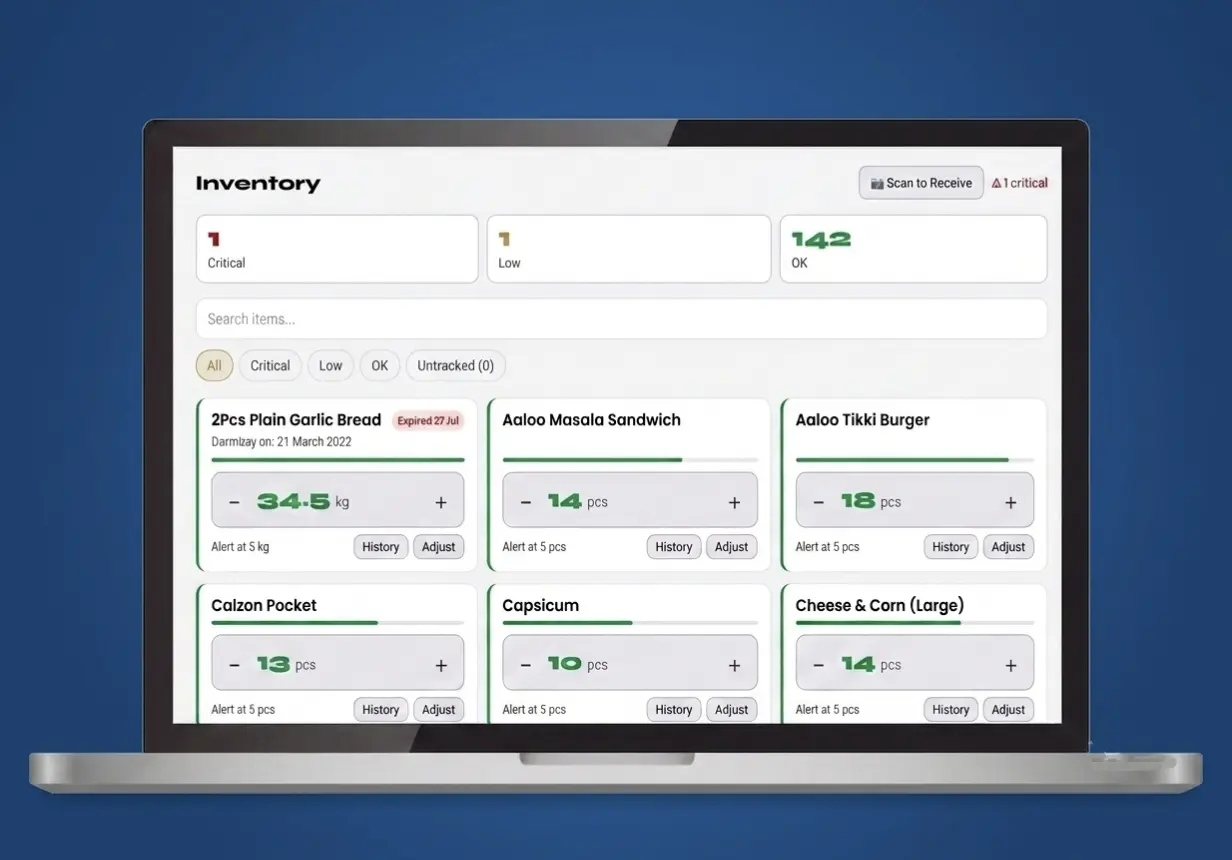
A bakery needs more than a total amount on a receipt. Zipla POS links the bill with payment marking, reporting, menu management and inventory visibility.
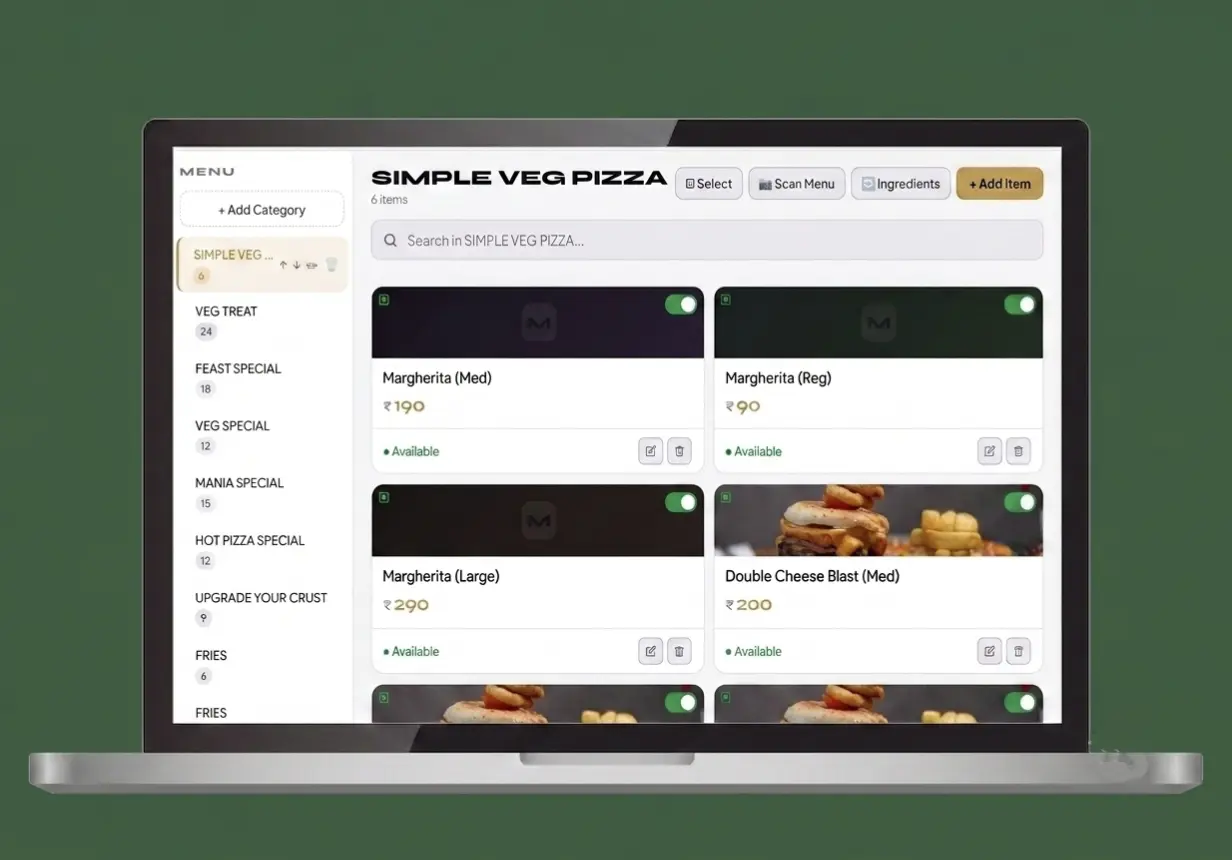
- Menu structure: organise bakery items and prices so staff can find them during counter service.
- Discount control: apply discounts when the order calls for it without changing the full menu price.
- Customer bill delivery: use a Bluetooth thermal printer or share the bill with the customer on WhatsApp.
- Production review: use item-wise quantities from day close to review what sold that day.
Which Zipla POS plan fits a bakery billing workflow?
Short answer: The Complete plan covers a retail counter with billing and low-stock alerts as well as QR ordering, KDS and day-close visibility.
Bakery Complete plan decision
Choose around the service workflow you need to run—not around a generic feature checklist.
| Bakery situation | Relevant Zipla POS workflow | Plan to consider |
|---|---|---|
| Retail bakery counter | Counter billing for weight, piece and fixed-price items, plus inventory with low-stock alerts. | Complete plan ₹4,999/year |
| Bakery with seating or a kitchen handoff | Add table QR ordering, Kitchen Display System, Bluetooth KOT auto-print, sales analytics and day-close reports. | Complete plan ₹11,999 / 3 years prepaid |
| Before committing | Test a real mixed basket using your own menu, then check the counter and owner workflow. | 14-day free trial no credit card required |
Mixed-item billing + stock alerts
Use the Complete plan for counter billing for weight, piece and fixed-price items, plus inventory with low-stock alerts.
QR orders and KDS
Use the Complete plan for table QR ordering, a kitchen display queue, Bluetooth KOT auto-print, sales analytics and day-close reports.
Clear bill at pickup
Use menu management, discounts, GST invoices and WhatsApp bill sharing for made-to-order or higher-value baskets.
What should a bakery test before choosing billing software?
Short answer: Test a real mixed basket, the customer bill, the payment marking and the owner’s day-close view before choosing a plan.
The right bakery billing system should handle your actual counter basket—not just a polished sample screen. Use a few real menu items to check the flow before choosing a plan.
Configure each price type
Set up a cake by weight, bread by piece and a boxed product at a fixed price using your own menu.
Build one mixed bill
Put those three product types into a single transaction and check that the counter flow is clear for staff.
Close the customer bill
Apply a discount when relevant, mark the payment mode, then test a Bluetooth print or WhatsApp bill share.
Check the owner view
Review inventory with low-stock alerts, sales analytics and day-close reports after the test.
What do bakery owners ask before choosing billing software?
Short answer: These answers cover mixed-item billing, day close, connectivity, device use and plan pricing before you start a trial.
Can Zipla POS calculate bakery items sold by weight?
Yes. Set an item to weight-based pricing, such as price per kg or per 100 g. At billing, enter the weight and Zipla POS calculates the price automatically.
Can one bakery bill include weight, piece and fixed-price items?
Yes. A bill can combine weight-based items, piece-based items and fixed-price products in the same transaction. This fits a counter that sells products such as cake by weight, bread by piece and boxed items at a fixed price.
Can staff apply discounts and share bakery bills?
Zipla POS supports discounts, Bluetooth thermal printing and WhatsApp bill sharing. Staff can also mark cash or UPI payments for reporting.
What can a bakery owner check in day-close reporting?
Day-close reporting includes sales, item-wise quantities and payment split. Use it to review what moved during the day and how payments were marked.
Does Zipla POS work without internet at a bakery counter?
After the menu has loaded, you can create bills without an internet connection. UPI and online payments require connectivity. Full offline sync is on the roadmap.
How is Zipla POS priced for a bakery?
The Complete plan is ₹4,999 per year or ₹11,999 for a 3-year prepaid term, with a 14-day free trial and no credit card required. It includes counter billing, inventory with low-stock alerts, KDS, table QR ordering, Bluetooth KOT auto-print, sales analytics and day-close reports.
Test Zipla POS with the way your bakery bills.
Start a 14-day free trial online, or book a WhatsApp demo to see weight, piece and fixed-price billing in the same workflow.