
Restaurant POS Pricing in India
Key takeaway: The Zipla POS Complete plan costs ₹4,999 per year or ₹11,999 for 3 years prepaid, with a 14-day free trial and no credit card required.
In plain language: Restaurant POS and billing software helps a food business create customer bills, apply configured GST rules, record payments and connect relevant ordering or kitchen workflows.
Last reviewed: . Plan details on this page reflect the current Zipla POS landing copy.
The Complete plan for your service workflow
Choose the Complete plan when your outlet needs counter billing first and may also need QR ordering, kitchen handoff, printing or owner review. Use the trial with your own menu before committing.
- Counter POS billing and configured GST invoices
- Cash, UPI and card payment tracking
- Inventory with low-stock alerts and staff roles
- Table QR ordering and Customer QR Home Ordering
- Kitchen Display System and Bluetooth KOT auto-print
- Sales analytics and day-close reports
₹11,999 for 3 years prepaid
14-day free trial · No credit card required
Start the free trialTalk through your workflow on WhatsApp →What does Zipla POS pricing include?
Use this at-a-glance summary when comparing billing software for an Indian food business. Confirm the workflow during the trial before making a purchase decision.
| Item | Current term | How to evaluate it |
|---|---|---|
| Complete plan | ₹4,999 per year | Review counter billing, configured GST invoices and payment tracking. |
| 3-year prepaid | ₹11,999 | Choose this term only after testing the workflow with your own menu. |
| Free trial | 14 days; no credit card | Create a real sample bill and test the relevant QR or kitchen workflow. |
| Optional on-site onboarding | ₹1,999 separately | Confirm the current scope before purchase; it is separate from the software plan. |
What should you test during the trial?
Pricing is only useful when the workflow fits your outlet. Test the steps your team actually performs during service.
- 01
Your menu
Add familiar items, prices and categories instead of judging the workflow only from a sample screen.
- 02
One customer bill
Create a bill, mark cash, UPI or card and review the invoice output before a live shift.
- 03
Kitchen or QR flow
When relevant, test table QR ordering, Customer QR Home Ordering, KDS or Bluetooth KOT auto-print.
- 04
Day-close review
Check the sales analytics and day-close information that the owner or manager needs after service.
Which outlets can evaluate Zipla POS?
This page is for Indian restaurant owners and managers comparing billing software for counter service, table QR ordering, kitchen handoff, weight-based items or owner day-close review. Start with the page that matches your service model, then compare the same Complete plan and trial terms.
What should you look at before choosing a plan?
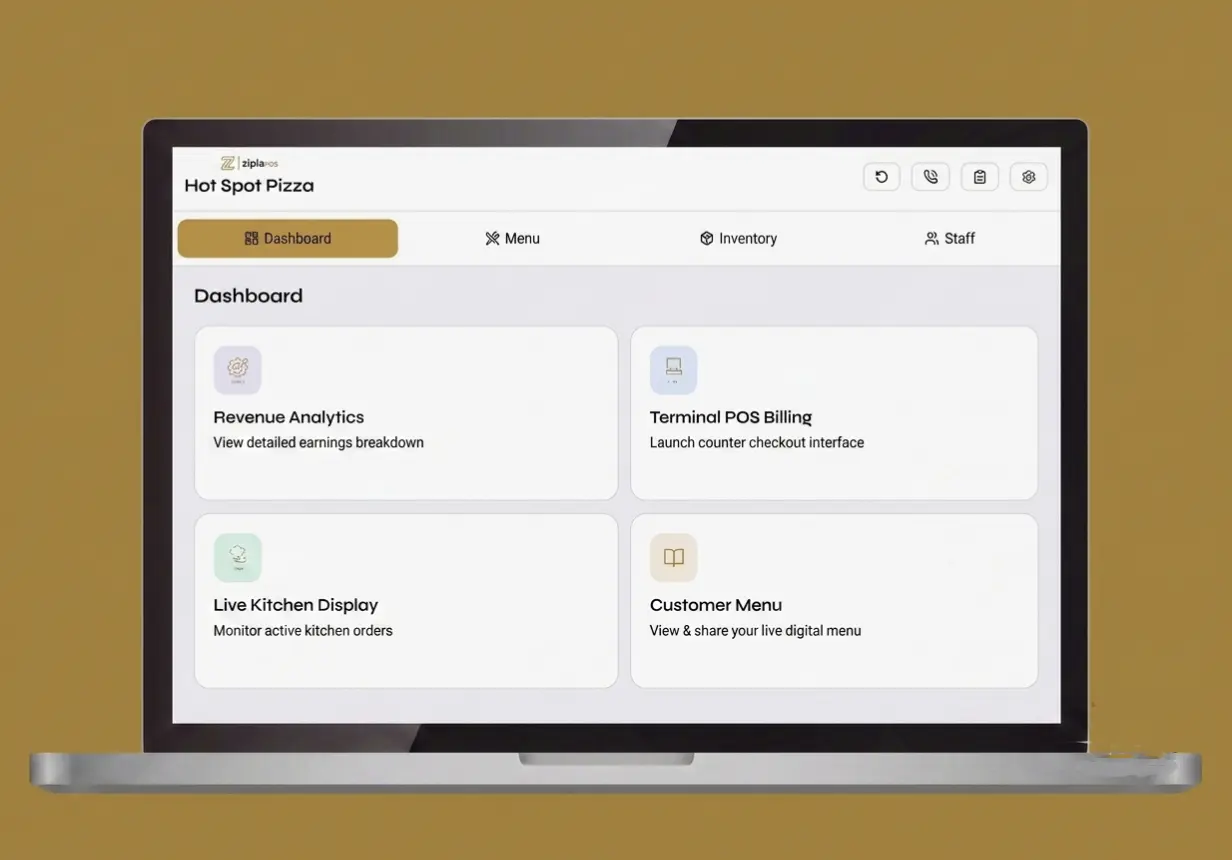
Use the product interface preview as context, then test your own menu, payment modes and relevant kitchen or QR workflow during the trial. This image is not a customer testimonial or performance guarantee.
- Check whether the counter billing flow matches your staff routine.
- Review the kitchen, QR ordering and day-close steps that matter to your outlet.
- Confirm device, printer and payment requirements before purchase.
Before you start
Read the short answers below, or see the full Zipla POS FAQ for product and support details.
How much does Zipla POS cost?
The Zipla POS Complete plan costs ₹4,999 per year or ₹11,999 for a 3-year prepaid term.
Is there a free trial?
Yes. Zipla POS offers a 14-day free trial with no credit card required to start.
What is included in the Complete plan?
The Complete plan includes counter billing, configured GST invoices, payment tracking, inventory with low-stock alerts, staff roles, KDS, table QR ordering, Bluetooth KOT auto-print, sales analytics and day-close reports.
Can I test Zipla POS with my own menu?
Yes. Use the trial to add a small version of your own menu, create a bill, mark a payment mode and test the kitchen or QR workflow when it is relevant to your outlet.
Does offline billing work without internet?
After the menu has loaded, bills can be created without an active internet connection. UPI and other online payments require connectivity.
Test the workflow before you decide.
Start with a small version of your own menu, or book a WhatsApp demo around the service flow your team actually uses.