
Dhaba Billing Software India
Key takeaway: Dhaba Billing Software India gives owner-led highway and neighbourhood eateries one workflow for customer bills, GST invoices, payment-mode tracking and end-of-day review.
Quick answer: Zipla POS is dhaba billing software for Indian eateries that need counter billing, cash/UPI/card payment marking, GST invoices and a Kitchen Display System for kitchen handoff.
- No credit card required
- Android phone or tablet
- Bluetooth printing supported
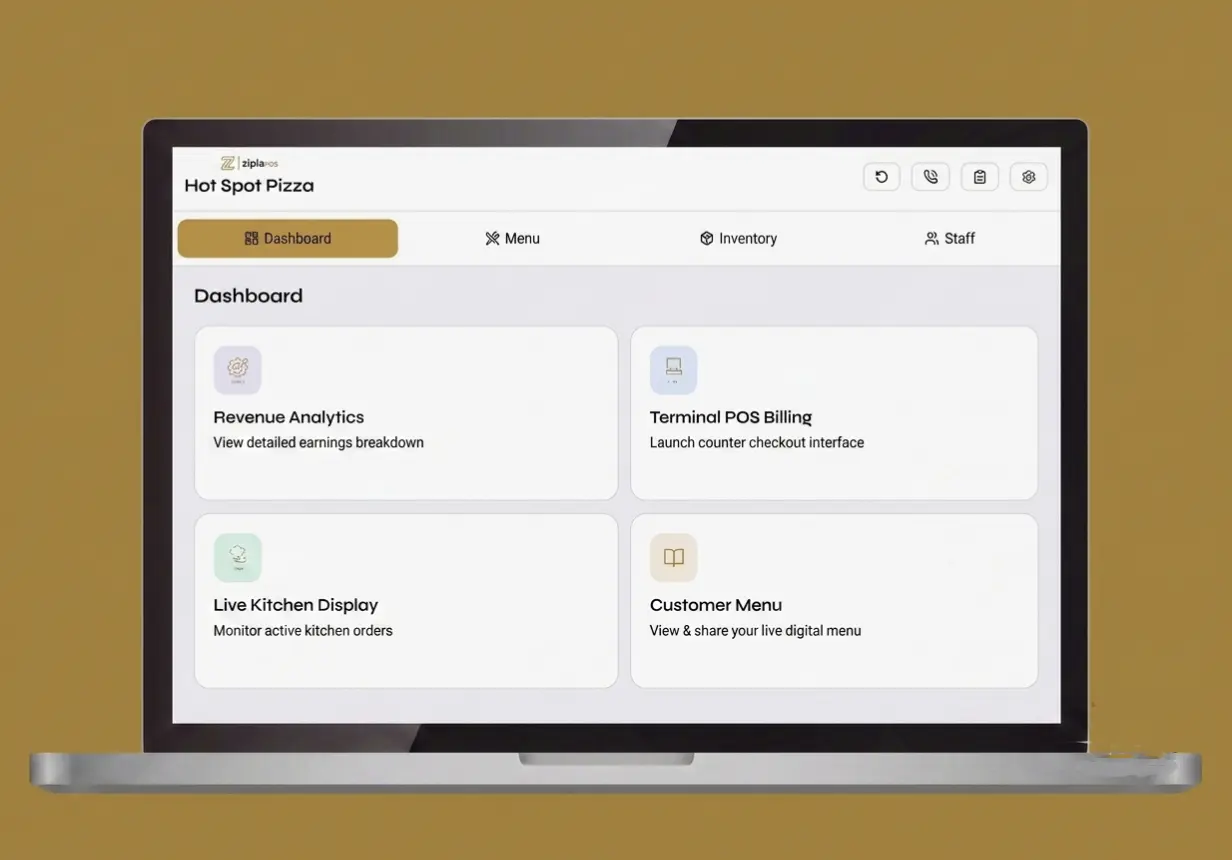
What is dhaba billing software for an owner-led eatery?
Dhaba billing software is a point-of-sale workflow that helps an eatery record orders, make GST invoices, mark how each customer paid and review the day. It is useful when paper bills and separate payment notes no longer give the owner a clear daily record.
For a counter-led fast-food outlet, see QSR billing software.
If your operation has more table service, compare restaurant POS software.
For a café-style service model, see cafe POS software.
Make a clear customer bill
Select menu items, create a GST invoice and mark the payment mode during checkout.
Review the operating day
Use inventory and low-stock alerts, sales analytics and day-close reporting in the Complete plan.
Add a clear order handoff
Use the Complete plan when a kitchen queue, Bluetooth KOT auto-print or table QR ordering is relevant.
How does Zipla POS fit a dhaba service workflow?
It connects the basic operating steps: order selection, customer billing, payment marking, bill delivery and an end-of-day review that fits the selected plan.
Create the order
Select the customer’s items from the menu and build the bill.
Handle kitchen handoff
Use KDS for a kitchen order queue and Bluetooth KOT auto-print when needed.
Close the bill
Create the GST invoice, mark cash, UPI or card, then print or share the bill.
Review the day
Review sales analytics and the day-close report after service.
What should a dhaba owner check after customer billing?
Short answer: The owner should be able to see the customer bill, its payment marking and the operating-day information available in the plan.
For a dhaba, the useful decision is not a generic software checklist. It is whether the counter workflow and the owner’s review match the way the eatery operates.
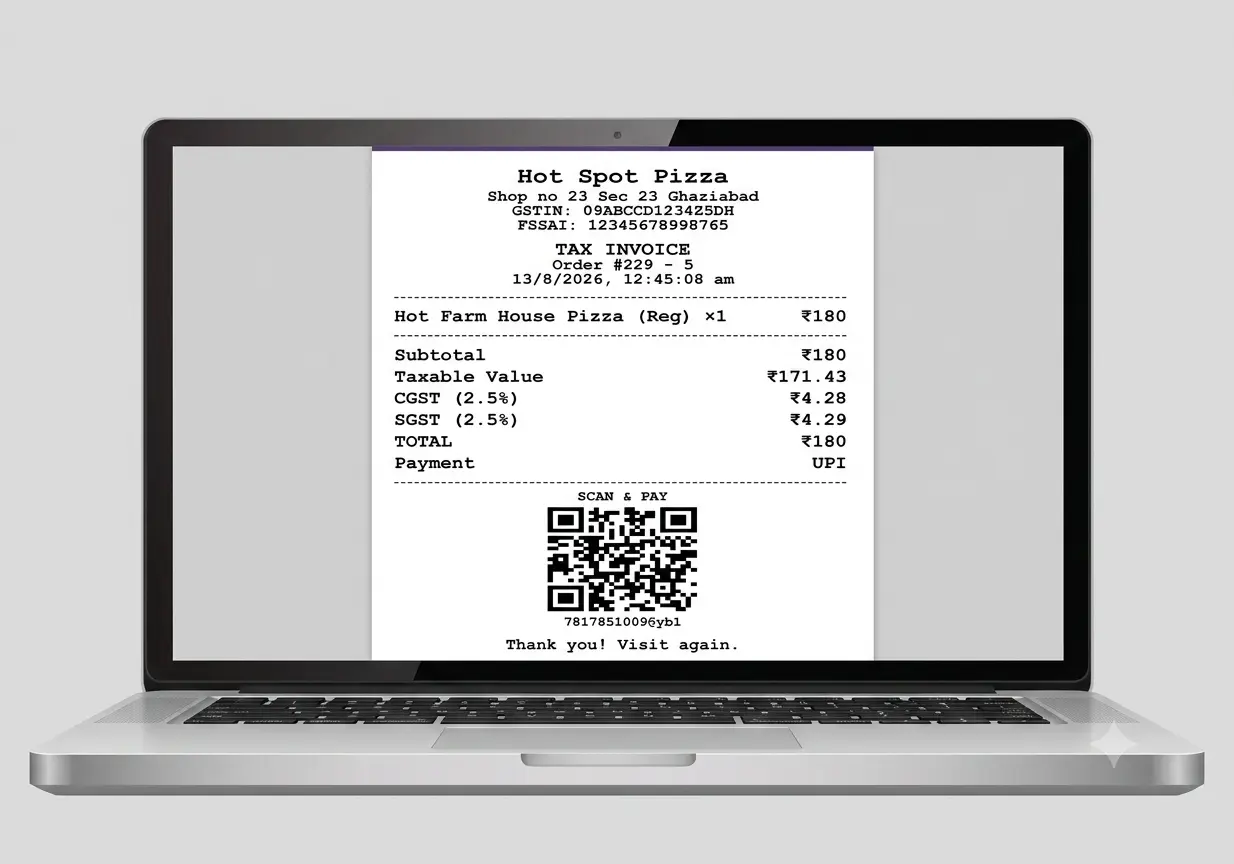
- GST invoice: create a bill with configured CGST and SGST tax rates.
- Payment tracking: mark cash, UPI or card to make the payment split available for reporting.
- Bill delivery: use Bluetooth thermal printing or share the bill with the customer on WhatsApp.
- Connectivity: after the menu loads, bills can be created without internet; UPI and online payments require connectivity.
Which Zipla POS plan fits a dhaba billing workflow?
Short answer: The Complete plan fits a dhaba that needs counter billing and low-stock alerts, KDS, Bluetooth KOT auto-print, sales analytics and day-close reports.
Dhaba Complete plan decision
Choose around the actual service workflow you need to run.
| Dhaba situation | Relevant Zipla POS workflow | Plan to consider |
|---|---|---|
| Counter billing and daily stock awareness | Counter billing, Auto GST Bill, inventory with low-stock alerts, cash/UPI/card payment tracking and staff roles. | Complete plan ₹4,999/year |
| Dhaba with kitchen handoff or table flow | KDS, table QR ordering, Bluetooth KOT auto-print, sales analytics and day-close reports. | Complete plan ₹11,999 / 3 years prepaid |
| Before committing | Use your own menu to test one bill, payment marking and, if relevant, one kitchen order during the 14-day free trial. | 14-day free trial No credit card required |
What should a dhaba test before choosing billing software?
Short answer: Test a real customer bill, payment marking, bill delivery and the owner’s review workflow with your own menu.
Add real menu items
Set up a small version of the items your team bills at the counter.
Run a customer bill
Create a GST invoice, mark a payment mode, then test a Bluetooth print or WhatsApp share.
Test kitchen handoff
Create an order and check how it appears in the KDS queue.
Check the owner view
Review inventory and low-stock alerts; also review sales analytics and day-close reporting.
What do dhaba owners ask before starting a trial?
Short answer: These answers cover dhaba use cases, plan fit, Android devices, bill delivery and connectivity.
What is dhaba billing software?
Dhaba billing software is a POS workflow for recording customer orders and bills, marking payment modes and reviewing the operating day. Zipla POS brings counter billing, GST invoices and payment tracking into one system.
Who should use Zipla POS for a dhaba?
Zipla POS is suitable for Indian highway dhabas, neighbourhood dhabas, roadside eateries and owner-led food counters. Choose the plan around whether you need billing only or also need a kitchen order queue.
What does the Complete plan include for a dhaba?
The Complete plan includes Counter POS Billing, GST invoices, inventory with low-stock alerts, cash/UPI/card payment tracking, staff roles, Kitchen Display System, table QR ordering, Bluetooth KOT auto-print, sales analytics and day-close reports.
Can Zipla POS be used on an Android phone or tablet?
Yes. Zipla POS can be used on Android phones and tablets. Bluetooth thermal printing is supported when you need a printed bill.
What happens if connectivity drops at a dhaba?
After the menu has loaded, bills can be created without an internet connection. UPI and online payments require connectivity. Full offline sync is on the roadmap.
Can a dhaba print or share a customer bill?
Yes. Use Bluetooth thermal printing for a paper bill or share the bill with the customer on WhatsApp for a digital copy.
Test Zipla POS with the way your dhaba actually bills.
Start a 14-day free trial online, or book a WhatsApp demo to see customer billing, payment tracking and plan fit in context.