Take the order
Create a counter bill, or use table QR ordering when guests should order from their phone.

Key takeaway: Restaurant POS Billing Software for India gives restaurant teams one connected workflow for orders, GST billing, kitchen handoff, payment tracking and daily review.
Quick answer: Zipla POS is restaurant POS billing software for India, built for restaurant owners and teams handling counter billing, table service, kitchen orders, GST invoices and daily review.
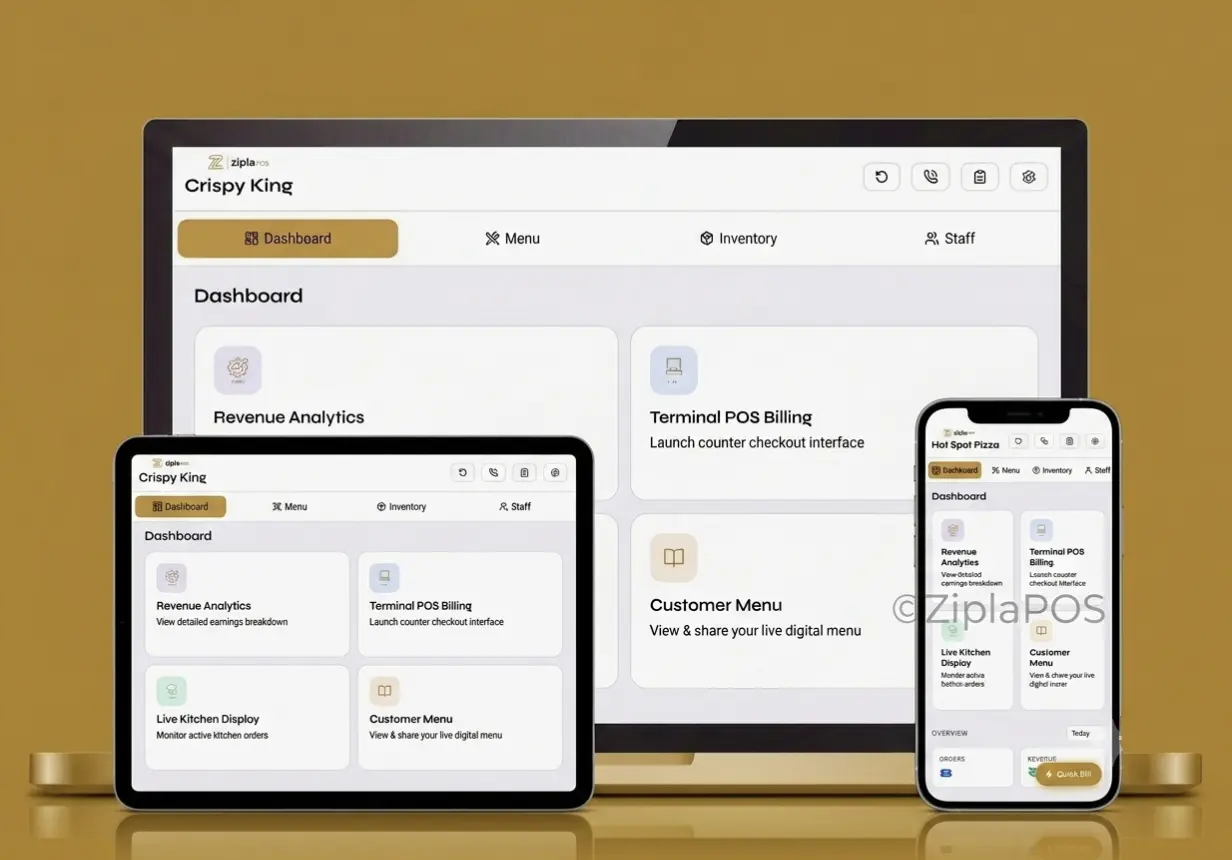
Restaurant POS billing software is a system for taking orders, creating GST invoices, handing orders to the kitchen and reviewing daily operations. Use it when your team needs one connected workflow instead of separate paper KOTs, manual bills and payment notes.
Choose based on the way orders move through your restaurant today—not on a generic feature checklist.
| If your restaurant needs | Relevant Zipla POS workflow |
|---|---|
| Counter bills, GST invoices and stock alerts | Complete plan: Counter POS Billing, GST invoices, inventory with low-stock alerts, cash/UPI/card payment tracking and staff roles. |
| Table orders, a kitchen queue and KOT printing | Complete plan: Kitchen Display System, table QR ordering, Bluetooth KOT auto-print, sales analytics and day-close reports. |
| A real purchase decision before committing | Start the 14-day free trial with your own menu and one actual service flow; test counter billing first, then table and kitchen handoff if relevant. |
It connects the handoffs that affect a live restaurant shift: order capture, kitchen visibility, customer billing and the owner’s review of the day.
Create a counter bill, or use table QR ordering when guests should order from their phone.
Use the Kitchen Display System to keep active kitchen orders in a visible queue rather than on paper KOT slips.
Create the GST invoice, mark cash, UPI or card payment, then use Bluetooth printing or share the bill with the customer on WhatsApp when needed.
Use sales analytics and day-close reports to review sales and payment-mode split after service.
Use KDS and table QR ordering when a restaurant needs a clear handoff from diners or waiters to the kitchen.
These features are most relevant where table service and kitchen coordination create avoidable delays or confusion; a counter-only restaurant can start with the billing workflow that fits its service model.
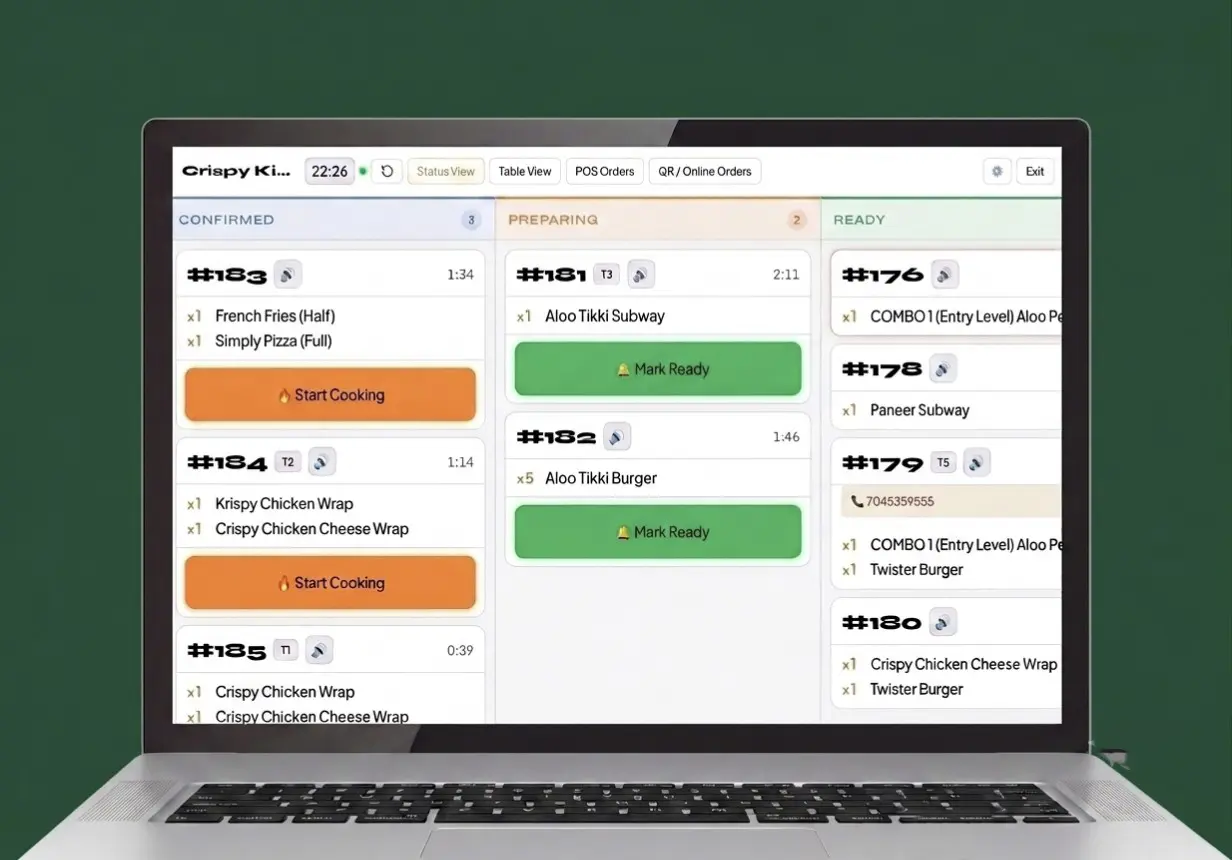
Test one real service flow with your own menu. A useful decision comes from seeing whether staff can complete the actual counter, kitchen and billing handoffs your restaurant uses.
Add a few real starters, mains, beverages or takeaway items so your team can search for familiar products during the test.
Create a GST invoice, apply the relevant payment mode, then test Bluetooth printing or share the bill with the customer on WhatsApp.
Create one table QR or waiter order and confirm how it appears in the Kitchen Display System.
Review sales analytics and day-close reports after the test service, along with billing, inventory and low-stock alerts.
Clear answers on restaurant use cases, plan fit, Android devices, table service and connectivity before you start a trial.
Restaurant POS billing software brings order taking, GST billing, kitchen handoff, payment tracking and daily review into one workflow. Zipla POS is built for Indian restaurant teams that need counter or table-service operations in one system.
Zipla POS is for Indian restaurant owners and teams running counter service, table service, takeaway, QSR, dhaba or small multi-table operations. Choose the workflow around how orders move from customer to kitchen and bill.
The Complete plan includes counter billing, GST invoices, inventory with low-stock alerts, payment-mode tracking, staff roles, Kitchen Display System, table QR ordering, Bluetooth KOT auto-print, sales analytics and day-close reports.
Yes. Table QR ordering and the Kitchen Display System help move a table order into the kitchen queue. The kitchen team can use the KDS instead of relying on paper KOT slips.
Yes. Zipla POS can be used on an Android phone or tablet. Bluetooth printing is supported when you need a printed bill; no dedicated POS hardware is required to begin.
After the menu has loaded, you can create bills without an internet connection. UPI and online payments require connectivity. Full offline sync is on the roadmap.
Start a 14-day free trial online, or book a WhatsApp demo to see counter billing, kitchen workflow and plan fit in context.