
Zipla POS Blog
Restaurant Billing & POS Guides for India
Key takeaway: Restaurant Billing & POS Guides for India help food-business owners understand billing, GST-invoice, counter, kitchen and plan-selection questions before they test a workflow.
Quick answer: This Zipla POS blog is for Indian restaurant, dhaba, cafe, QSR, bakery and sweet-shop owners who want practical, product-specific guidance without unsupported claims or generic software comparisons.
Who this is for: owners and counter, kitchen or service teams in Indian food businesses. Use these guides when: you are choosing a billing workflow or preparing a small real-menu trial.
What is a restaurant billing and POS guide for India?
A restaurant billing and POS guide is a plain-language resource that explains the operating steps behind a food-business counter: setting up menu items, creating a bill, marking a payment mode, handing an order to a kitchen when relevant and reviewing the day. Use it when you need to decide whether your actual workflow fits a billing system.
Restaurant POS checklist
Use a small real-menu test to compare billing, payments, kitchen handoff, QR ordering and offline workflow before you switch.
Read the restaurant POS checklistGST invoice questions
Read the current guide when you need a plain-language starting point for restaurant or dhaba GST invoice fields and billing workflow questions.
Read the restaurant and dhaba GST invoice guideQSR workflow
Compare counter billing, payment marking and the optional kitchen handoff for a quick-service outlet.
Explore QSR billing softwareDhaba workflow
Check the billing and day-review questions that matter to highway and neighbourhood dhaba operations.
Explore dhaba billing softwareRestaurant POS pricing
Use a practical checklist to compare plan terms, trial fit, billing, printing and kitchen workflows before buying.
Read the restaurant POS pricing guidePOS vs billing software
Understand when a counter needs billing-first software and when a wider restaurant POS workflow is useful.
Read the POS vs billing guideWhich food-business guide should you read first?
Choose the guide around your service model, not a broad label. The useful starting point is how orders move from the customer to billing and, if you use it, the kitchen.
| Your service model | Start with | What to evaluate |
|---|---|---|
| Restaurant with tables or kitchen handoff | Restaurant POS software | Counter bills, table ordering, KDS and day-close workflow. |
| Cafe with counter and seated diners | Cafe POS software | Counter orders, table QR ordering and kitchen visibility. |
| Bakery or sweet counter | Bakery billing software or sweet shop billing software | Weight, piece or fixed-price billing and inventory visibility. |
How should an owner use a billing guide before starting a trial?
Direct answer: Match the guide to the service model you run, then test the smallest version of that same workflow with a real menu.
- Choose the service model. Start with restaurant, cafe, QSR, dhaba, bakery or sweet-shop guidance based on how customers order and how the kitchen receives work.
- Set up familiar menu items. Add a few genuine products and prices rather than judging the workflow only from a sample screen.
- Run one customer bill. Mark cash, UPI or card, then test Bluetooth printing or share the bill with the customer on WhatsApp when relevant.
- Check the relevant kitchen handoff. If the outlet uses a kitchen queue or table QR ordering, test KDS and QR ordering during the Complete plan trial.
What can an owner verify in a Zipla POS workflow?
Short answer: Use the guides with an actual Zipla POS screen and your own menu. That is more useful than relying on a generic feature list.
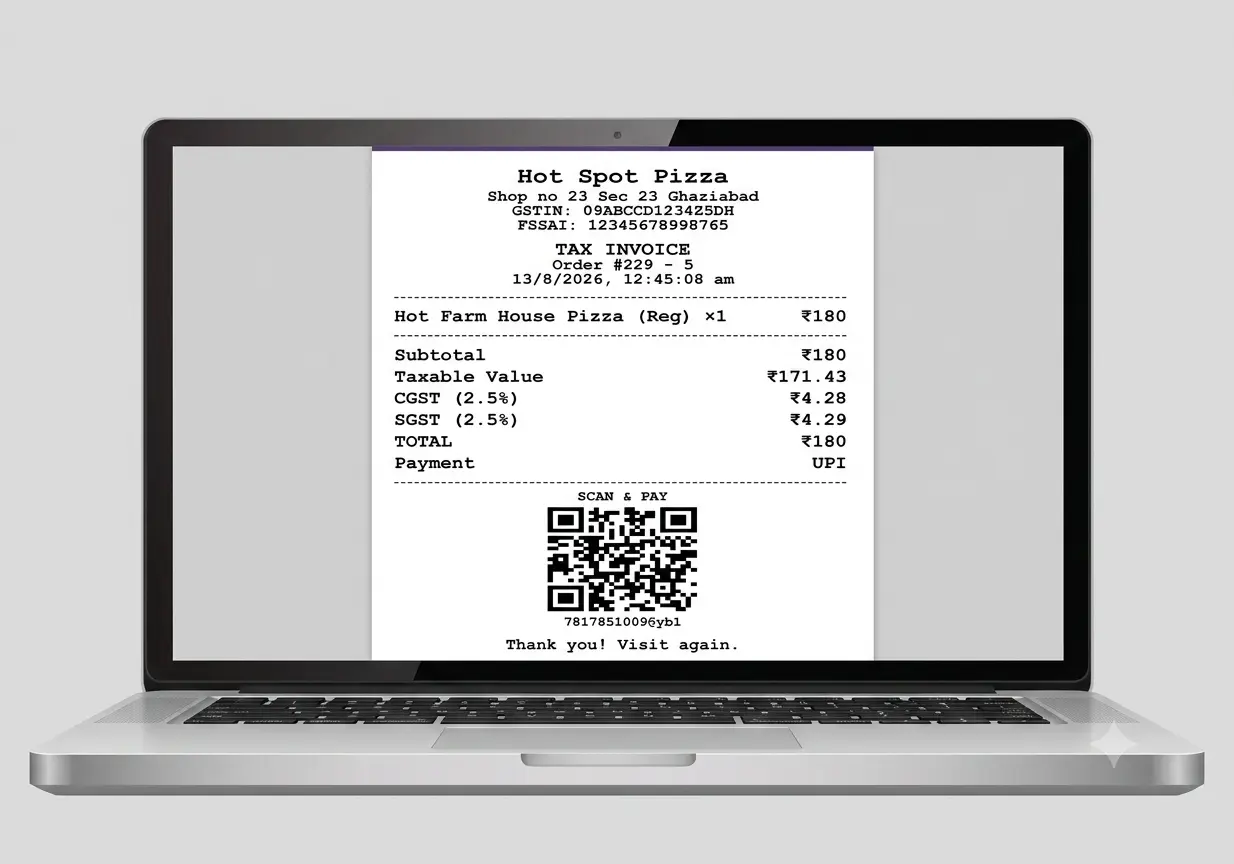
Product-test example: create a bill from familiar menu items, mark a payment mode and review the result in the actual product. This is a workflow example, not a customer case study or an outcome claim.
For a real counter test, add familiar menu items, create one customer bill, mark cash, UPI or card, and then check whether the owner-review information fits the Complete plan. If your business needs a kitchen handoff, test the KDS workflow during the same trial.
Need product-specific answers before a test? Read the Zipla POS FAQ for confirmed features, device use, printing, trial and plan information.
Where should a food-business owner verify current GST requirements?
For current tax, filing or legal decisions, use the official GST Portal accounting and billing software guidance, the CBIC tax invoice rules and a qualified tax professional. Zipla POS guides explain the product workflow; they do not replace professional advice.
Frequently asked questions about these billing guides
Concise answers for owners choosing the next guide or planning a product test.
Who are these restaurant billing and POS guides for?
They are for Indian restaurant, dhaba, cafe, QSR, bakery and sweet-shop owners who want to understand billing workflows before choosing a plan or setting up a counter.
Which guide should a dhaba owner read first?
Start with the restaurant and dhaba GST invoice guide, then compare the dedicated dhaba billing software workflow with the way your counter and kitchen operate.
Do these guides replace professional GST advice?
No. Use them to understand product and billing-workflow questions. For current tax obligations, filing and legal decisions, verify the applicable requirement with the GST Portal and a qualified tax professional.
What should an owner test before choosing Zipla POS?
Use a small version of your real menu, create a bill, mark a payment mode, test printing or sharing bills with customers on WhatsApp, and test the kitchen handoff only when it is relevant to your plan.
Use the right guide with your real food-business workflow.
Start with the guide that matches your service model, then use the 14-day Zipla POS trial with a small version of your own menu.